
To create this tag you will need:
PSP and Animation Shop
Both sold by Corel
A Tube and a Close-Up
I used art by Ismael Rac
Tubes and License can be bought at his Store
Do not use this art without a proper license
Penta - Color Dot
MuRas Meister - Copies
Xero - Porcelain
DSB Flux - Bright Noise
Ready?
Let's Begin!!
Copy your tube and paste as a New Image
Rezize Image (lock unchecked) to 600x600
Effects - Artistic Effects - Posterize - Default Settings
Effects - Distortion Effects - Twirl - 180°
Rezize Image (lock unchecked) to 600x200
MuRa - Copies - Wallpaper Rotate - Default Settings
Duplicate and hide the Duplicate
On the Original - Blur - Gaussian Blur 15
Unhide the Duplicate - Blur - Radial Blur
Spin - 19% - Elliptical unchecked - all else is 0
Edge Effects - Enhance
Change the Blend mode to Hard Light or Overlay
Merge Visible
Rectangular Selection Tool - Custom Selection
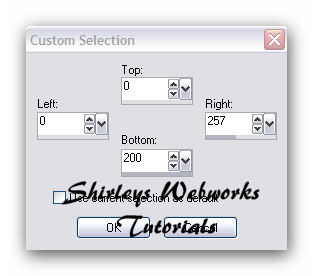
Promote Selection to Layer - Keep Selected
Penta - Color Dot - Default Settings
Paste your Close-up and move far left - Invert Selection - Delete
Change the Blend mode to Hard Light and drop the opacity a little
Deselect and crop your Tag
Paste your Tube and move to just left of center
See sample tag for placement
Xero - Porcelain - Blue channel 0 - Blurry Drop Shadow
New Layer
Fill with black or a dark color from your tube
Select All - Contract 1 - Delete - Deselect
Add your Name, CR info and License # if necessary
Hide your Background Layer
Merge Visible
On the Background Layer - AAA Frames - Foto Frame
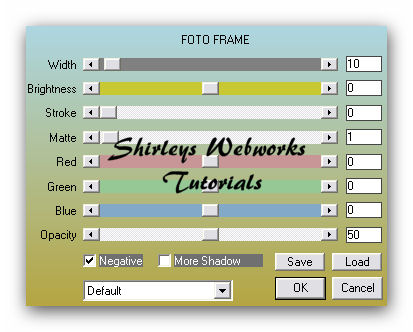
If you're not going to animate, you're done!
Just merge and save as a jpg
If you are going to animate, read on...
Duplicate the BG twice for a total of three BG Layers
Select All - Contract 11 - Invert Selection
On each of these three layers
DSB Flux - Bright Noise - 26 - Lighter
Hit the Lighter Button once for each Layer
Deselect
Animate as usual
If you are not familiar with the process,
I have written this little mini tut explaining the process
AVATAR
Shift + D to duplicate your tag
Delete all layers with Art and the 1px border
You should now have your 3 BG Layers
Crop tool, set to 150x150
Put it where you want it and hit the green check mark
New Layer
Fill with black or a dark color from your tube
Select All - Contract 1 - Delete - Deselect
Add your Name, CR info and License # if necessary
Hide BG Layers and merge the rest together
Do the same AAA Frames on each of the 3 layers
Select All - Contract 11 - Invert Selection
On each of these three layers
DSB Flux - Bright Noise - 26 - Lighter
Hit the Lighter Button once for each Layer
Animate as usual
Sample Avi:
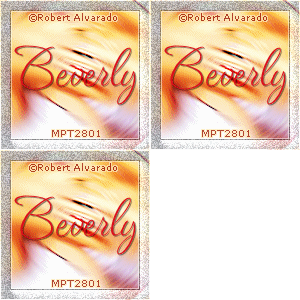
Sample Sets:
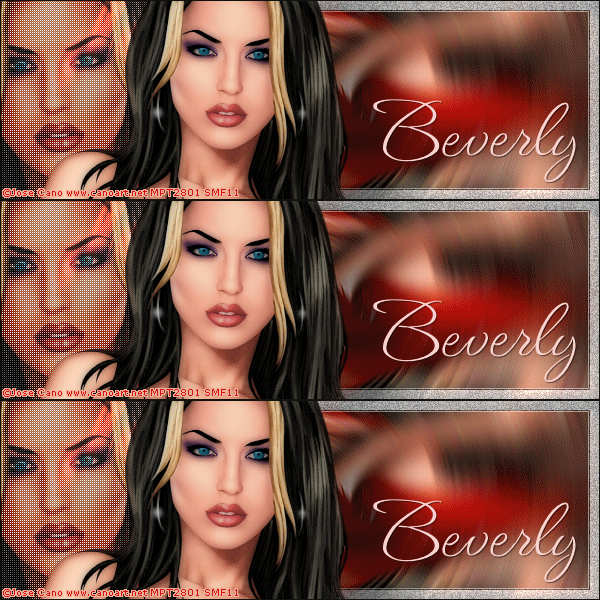
This one uses art by Jose Cano
Tubes and License can be bought at MPT
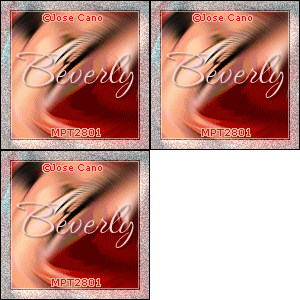
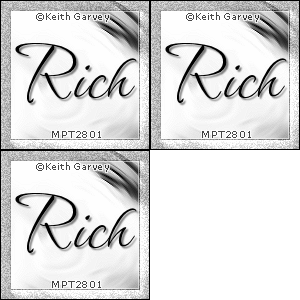
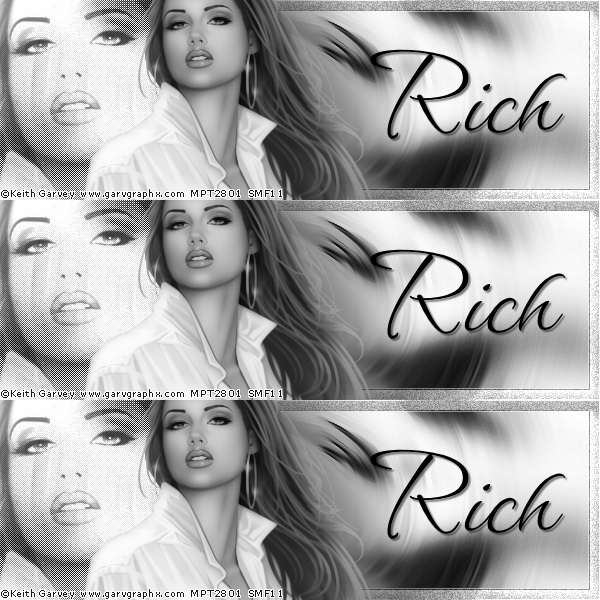
This one uses art by Keith Garvey
Tubes and License can be bought at MPT
As always, if you try any of my tutorials, I would love to see your results
Please post a link in the comments section on my Blog
Tutorial Ideas, Tags/Avis ©Shirley Franklin
http://www.shirleyswebworks.com