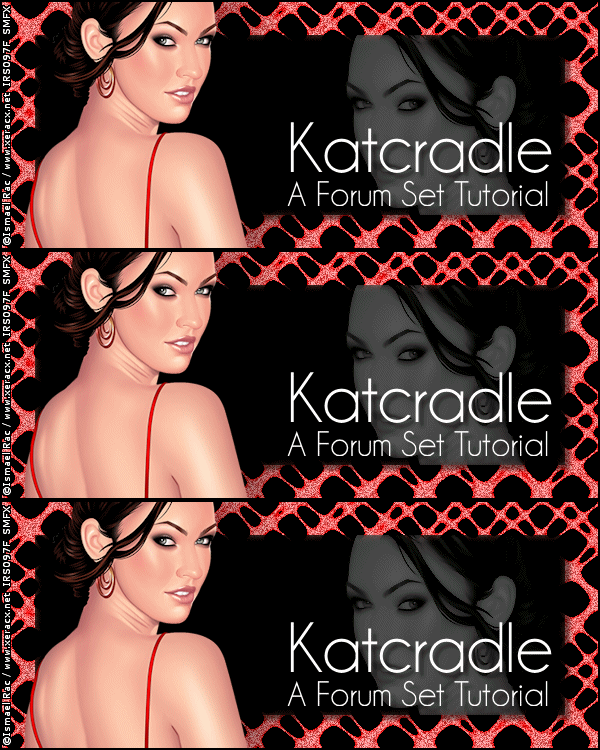
KatcradleA forum set tutorial This is what we will be making:
You will need: PSP and Animation Shop Kang 3- Katcradle Xero-Porcelain and Improver DSB Flux-Bright Noise Font, Tube and Close-up of choice For this tutorial I used the wonderful art of Ismael Rac- You can get a license at his Store This is an Intermediate Tutorial Ready? Lets Begin! New Image 600x250 - Fill with Black Kang 3- Katcradle -Default Settings Magic wand tool- Tolerance set to 5-click in a black area Selections-Modify-Select Color Range-20, 20, Black Now all the black areas should be selected Selections-Invert-Promote Selection to Layer-rename Katcradle Deselect-Highlight Bottom layer-Edit-Clear-fill with black Colorize your Katcradle Layer to match your tube New Layer-Select all-Contract 35-Fill with black Paste your close up and move to the right Invert selection and Delete-Deselect Crop your Tag to 600x250 Blend mode on the close-up layer to Luminance (L)-Opacity 37 Merge the Close-up and rectangle layers together Drop Shadow-5, 5, 50 and 5 Xero Porcelain-Blue channel to 0 Xero-Improver -Default Paste your tube and move to the left - Drop shadow- 5, 27, 61 and 84 Crop your Tag New Layer-Fill with black-Select all-Contract 2-Delete-Deselect Drop Shadow- 1, 1, 50 and 1-then again using -1 for the H and W Hide Background and Katcradle Layers and Merge Visible Time to add your Artist Copyright and License if necessary Type your name and place as shown on the sample tag Again, hide the BG and Katcradle Layers and Merge Visible Duplicate the Katcradle layer twice for a total of 3 layers On each of these 3 layers-DSB Flux-Bright Noise- 57, Mix Hit the mix button each time Animate as usual If you don't know how, I have written a mini-tut HERE
AvatarNew Image 150x150-fill with black Kang 3-Katcradle Magic wand tool- Tolerance set to 5-click in a black area Selections-Modify-Select Color Range-20, 20, Black Now all the black areas should be selected Selections-Invert-Promote Selection to Layer-rename Katcradle Deselect-Highlight Bottom layer-Edit-Clear-fill with black Colorize your Katcradle Layer to match your tube New Layer-Select all-Contract 20-Fill with black Drop shadow-5, 5, 50 and 5 Add your 2 px border and use the same drop shadows as the Tag Add your Initial Duplicate and add Bright Noise to your Katcradle Layers like you did for your Tag Animate as usual
I hope you have enjoyed my tutorial. I love seeing results If you do try it, please leave a link in the comments section of my BLOG
Tag and Tutorial © Shirley Franklin www.shirleyswebworks.com

|