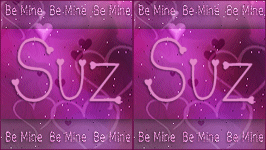
To create this set you will need: A seamless pattern For the example on top, I used a nice one by Suz You can get it on her Blog For the example on the bottom, I used one from Morguefile A Close-up Tube I used the wonderful art of Elias Chatzoudis Tubes and license can be bought from MPT Please do not use without a proper license DSB Flux - Bright Noise Font of choice-I used Scrap Hearts Ready? Lets Begin!
Open your seamless pattern in PSP Resize 400x400- uncheck lock ratio On the BG- set your palette to Pattern choose your seamless texture - angle 0 -100%
New Image - 600x200 Fill with your Pattern
Rectangular selection tool - FG Null Draw out a rectangle across the middle of your tag see sample tag for size Objects-align-center in canvas Rasterize - Drop Shadow - 5, -5, 75, 10 Change the blend mode to Overlay or some other one you like better
Paste your tube and move left- drop shadow of choice Crop your Tag Select all-Modify-Select selection borders - 2px - both sides checked Deselect - Drop shadow - 1, 1, 75, 2 then -1 for the H and W
Text tool - Verdana size 10-BG color from tube-FG null Type out your wordart - Enough to fit across your tag Duplicate amd move to the top and the bottom of your rectangle See sample tag for placement Merge the two test layers together Drop shadow 1, -1, 50 and 2
Duplicate this layer twice for a total of three layers On each of the three layers, DSB Flux- Bright Noise -70- Mix checked Add your name and CR info and License if necessary Animate as usual If you don't know how, I have written a little mini-tut HERE
For the Avatar Duplicated your tag and crop to 140 x 150
Sample Sets
I love to see results, so if you try one of my tutorials, I would love to see what you made Please post a link in the comments section on my Blog
Tutorial idea, Tags/Avis ©Shirley Franklin www.shirleyswebworks.com
|