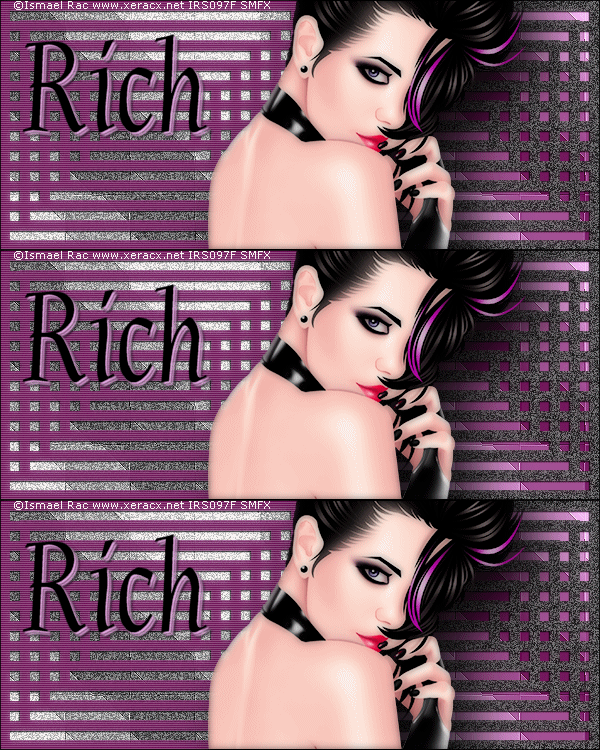
To create this set
You'll need:
A close-up Tube
I used art by Ismael Rac
Tubes and licence can be bought at his Store
Do not use this art without a proper license
MuRa Meister- Copies
DSB Flux-Bright Noise
Xero-Frittilary
Xero- Greyscaler
Xero- Porcelain
New Image 600x250
Fill with dark color from tube- Select All
Contract by 10-Delete-contract again by 10-fill with dark color
Contract again by 10- Delete-contract by 10-Fill
Contract again by 10- Delete-contract by 10-Fill - etc...
Keep on until you have something that looks like this:
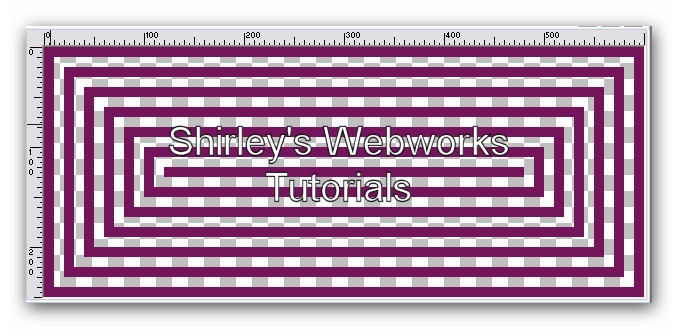
MuRa Meister-Copies-Line(rotate) preset-change the top number to 2
Now it should look like this:
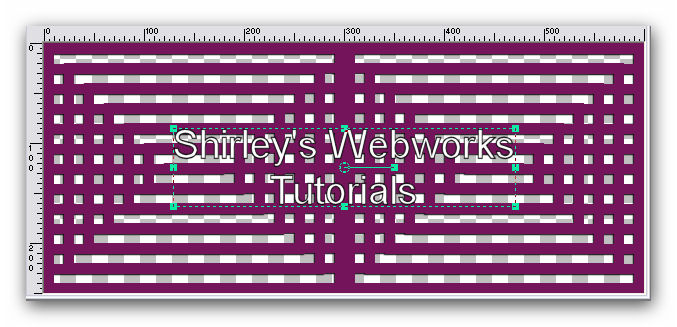
Make a FG/BG gradient on the BG using colors from your tube
Linear, angle 45, repeats 3
New Layer-Fill with the gradient
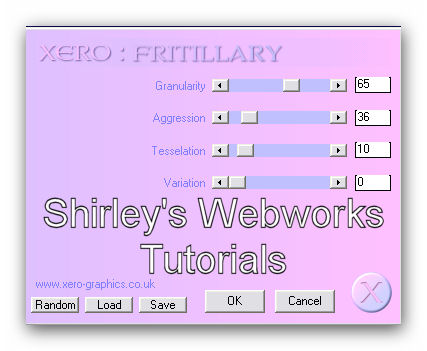
Xero- Fritillary:
Effects-Edge Effects-Enhance
Highlight top layer
Rectangular selection tool-Custom Selection
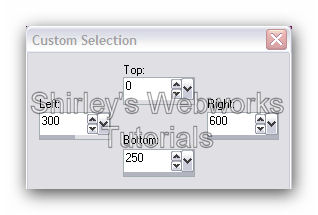
Promote selection to layer- delete original layer
Invert selection-highlight BG Layer
Promote selection to layer- delete original layer-Deselect
Now you should have 4 layers
From top to bottom-
Promoted selection of the right-side Frames layer
Original left side Frames Layer
Promoted selection of the left-side BG layer
Original right side BG Layer
Xero-Greyscaler -default settings on the top layer
and on the second layer from the bottom
Xero - Porcelain on both Frames layers-Blue channel 0
Texture Effects-Blinds
W - 2, Opacity - 24 , white, horizontal and light from left/top checked
Add a thin drop shadow to both Frames layers
1, 1, 100, 1
Now we should have this:
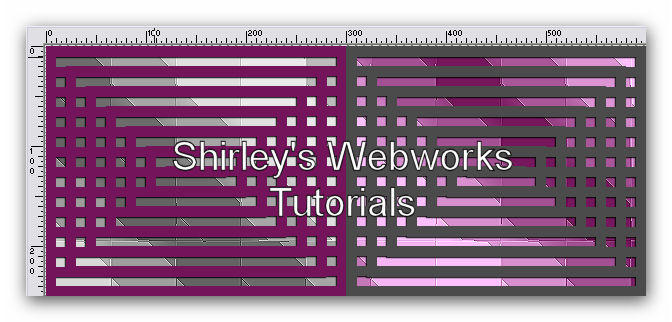
Highlight the top layer- Add a new layer and fill with black
Select all-contract 1-delete-deselect
Add your tube and move into position-give it a blurry drop shadow
Move it below your 1px border layer
Crop your Tag
Lets get ready for animation!
First, we need to rename some layers
Name the grey frame layer "grey frame"
Name the grey BG layer "grey bg "
Name the original BG and Frame layers accordingly
Duplicate the grey frame layer twice for a total of 3
Duplicate the grey bg layer twice for a total of 3
This is what my layer palette looks like now:
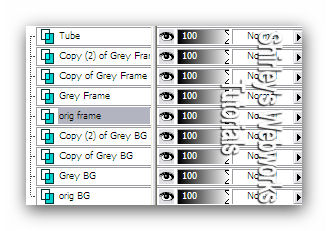
On EACH of your 6 grey layers
DSB Flux - Bright Noise - Mix checked - 50
Hit the Mix button once for each layer
Highlight your top layer and add your name,
CR info and License # if necessary
Animation
Hide the top two Grey BG layers and the top two Grey Frame Layers
Copy merged and paste into Animation Shop as a New Animation
Hide the bottom Grey BG and Grey Frame layers and Unhide the middle
Grey BG and Grey Frame layers
Copy merged and in Animation Shop paste after current frame
Hide the middle Grey BG and Grey Frame layers and Unhide the top
Grey BG and Grey Frame layers
Copy merged and in Animation Shop paste after current frame
View Animation to make sure it looks right and save as a gif
Sample Sets made for Rich 'cause he loves bein' my guinea pig
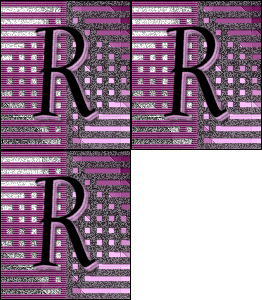
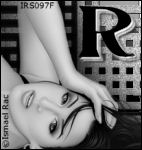

I love it that people are trying my tutorials!
I love seeing results-please leave a link in the comments section of my Blog
Tutorial Idea, Tags/Avis ©Shirley Franklin
www.shirleyswebworks.com
