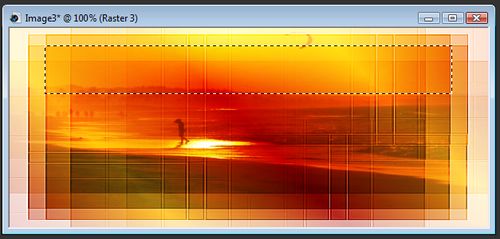
I made this tag this morning and thought it might be good enough to write a tutorial showing how I made it This was made in PSP X2-since I used only basic tools, I imagine it can be made in any version You will need: PSP (of course) A font, I used Australian Sunrise A sunset image of choice Mask of choice A tube of your choice. I used the wonderful art of Chester Ocampo. Ok lets get started! Open your tube, sunset image and mask in PSP Create a new image 600x250 background white. New layer, selections>select all. Go to your sunset image edit>copy and paste it into the selection on the new tag Don't worry if it looks a little distorted, we're after depth here. Layers>new mask layer>from image and choose your mask Apply the mask and merge group. New Layer. Choose a dark color for the background and a light color for the foreground. On the foreground change it to a fg/bg gradient angle 45 repeats 3. Fill the new layer with your gradient. Change the blend mode to overlay. New Layer. Take your rectangular selection tool and draw a thin rectangle across the top
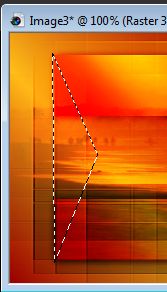
Flood fill with your gradient. Change the blend mode to overlay and duplicate 3 times. Merge these 3 layers together. Change the mode back to overlay.Duplicate the merged layer and use the move tool to move the top layer down. Add a drop shadow to both layers V&H 1, Opacity 86, Blur 10.14 Merge the two top layers together. With the freehand selection tool set at point to point. Make this selection on both ends of the bars.
Delete. Close out the background layer and merge visible. with the rectangular selection tool, draw out a rectangle enclosing the bars, crop to selection. On the right side draw out a square selection for your frame. Promote selection to layer. Keep selected. Paste your tube on a new layer. If necessary, Invert selection and hit your delete key to remove anything outside your frame, deselect. Merge top two layers together. Drop shadow as before. On the tag layer, paste your tube on the right side and lower the opacity to 50 or so. Merge, Add your copyright info and your name and thats it, you're done! I hope you've enjoyed doing my tutorial . I would love to see your results!
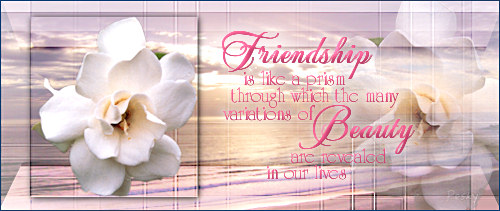
Another example:
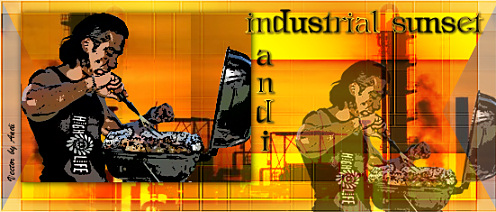
Thank you for trying my tutorial, Andi!
Thank You Jade!
Thank you Hilary!
This tutorial and webset are (C) Shirley Franklin http://www.shirleyswebworks.com |