
To create this set you will need
PSP and Animation Shop - both sold by Corel
A Tube and a Close-Up
I used art by Elizabeth Austin
Tubes and license can be bought at UYA
Do not use this art without proper license
A font of your choice - I used P22 Aragon (Pay font)
MuRa Meister - Copies
Xero - Porcelain
Alien Skin EC 5 Textures - Texture Noise
Ready?
Lets go!
Copy your Close-Up tube and paste as a new image
Resize to 600 x 250 - Lock un-checked, all layers checked
MuRa Copies - V-Tile - Rotate - default
Duplicate - Mirror and Flip - Blend Mode - Screen
( Play with the blend mode here til you get something you like)
Merge Visible
Duplicate - Adjust Blur, Motion Blur angle 90, strength 100%
Edge effects - Enhance
Pull the opacity down to about 80
Merge Visible
Paste your close-up and move to the right then crop your tag
Blend mode - overlay, pull down the opacity a little
Merge Visible
Select All - Contract 10 - Invert - Delete - Deselect
Xero - Porcelain - Blue Channel 0
New Layer - Arrange - Send to bottom
Fill with dark color from your tube
Paste your tube - send to top - and move to the left -
Drop shadow of choice - Crop your tag
New Layer - Arrange - Send to top
Fill with dark color from your tube
Select All - Contract 1 - Delete - Deselect
Time to add your name and CR info and license # if necessary
Hide the bottom layer and merge visible
Unhide the bottom layer and duplicate it twice for a total of 3 layers
On each of the 3 layers
Alien Skin EC 5 Textures - Texture Noise
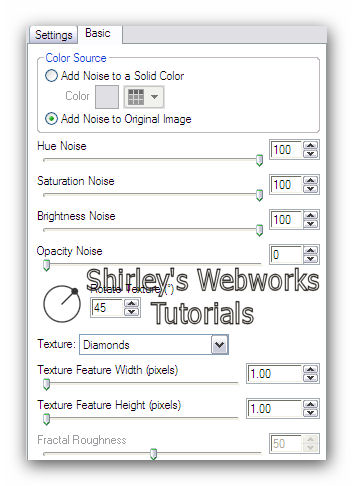
Hit the random seed button once for each layer
Animation
Hide your top two texture noise layers and copy merged
Paste into Animation Shop as a new animation
Back in PSP - Un-hide the middle texture noise layer and hide the bottom one
Copy merged and in Ani Shop paste after current frame
Back in PSP - Un-hide the top texture noise layer and hide the middle one
Copy merged and in Ani Shop paste after current frame
View animation to make sure it looks right and save as a gif
That's it - you're done!
Sample Sets
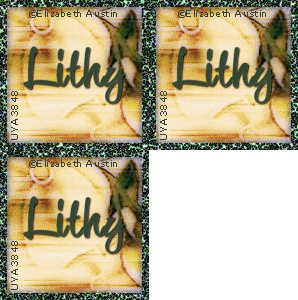

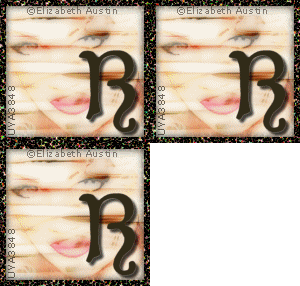

If you try my tutorials, I would love to see your results
Please post a link in the comments sections of my Blog
Tutorial idea, Tags/Avis ©Shirley Franklin
www.shirleyswebworks.com
