
This tutorial is an adaptation of my Watermelon Tutorial HERE
You will need PSP and Animation Shop
Tube, close-up and font of choice
I used the wonderful art of Ismael Rac
Do not use his work without a license from his store Here
Italian Editors-Effetto Fantasma
MuRa Meister-Copies
Xero Porcelain
Ready?
Lets Begin!
New Image 600x250
Copy your tube and paste as a new layer on your tag
MuRa Copies-Wallpaper Shrink-default settings
If the background isn't completely covered-make a new layer,
fill with a color from your tube-send to bottom and merge visible
Motion Blur-50, 100- twice
Edge Effects-Enhance, then Erode, then Enhance
Duplicate Layer - Italian Editors-Effetto Fantasma 97 and 255
Edge Effects-Enhance
Set the Blend mode to overlay and merge visible
Xero-Porcelain-all settings to Default except move the Blue slider to 0
Duplicate layer- Mirror- Change opacity to 50
Merge Visible
Paste your close up on the right side and change the blend mode to soft light
Paste your tube on the left side - Drop Shadow - 5, 27, 47, 84
Crop your tag
Highlight your bottom layer-Select all-Modify, Contract 5-Invert
Promote selection to layer-deselect-send to top-mirror and flip it
Still on your promoted selection, Xero-Porcelain-same settings
Merge visible
Add Artists CR info and your License # if necessary
Type your name-I used P22 OhLey (pay font)
Merge all visible-save as a Jpg and thats it!
Sample set made for my friend Marj at the Zone
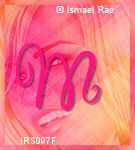

Thank you for trying out my tutorial!
I love to see results, so please post a link to yours if you try it
in the comments section of my Blog
Tutorial and Tags/Avatars by Shirley Franklin / www.shirleyswebworks.com
